How to Read a Whole Life In-Force Illustration Without Treating Projections as Promises
If you already own a policy and someone is talking about changing premium, adding a loan, reducing the death benefit, or "letting dividends take over," the document you want is usually not last year's sales packet. It is a whole life in-force illustration.
An in-force illustration is an updated projection for a policy that has already been in force. The New York Department of Financial Services defines it as an illustration furnished after the policy it depicts has been in force for one year or more. That timing matters. A sales illustration answers "What might this design look like if I buy it?" An in-force illustration answers "What does this contract look like from here, using today's values and today's illustrated scale?"
Those are not the same question.
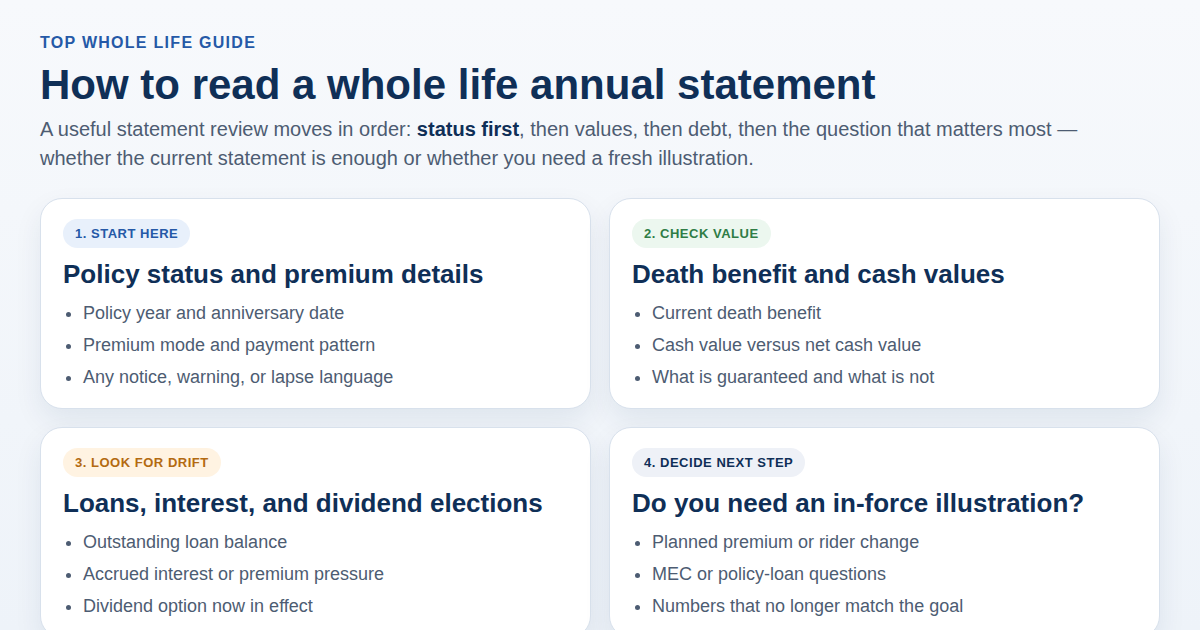
The annual statement tells you where the policy stands now. Top Whole Life's annual statement guide is the right starting point for that snapshot. The in-force illustration is the next document: it is the one you request when you need to see current and future benefits and values before you change something.
This is general education, not personal tax, legal, or investment advice. Illustration rules and request rights vary by state and contract. Confirm the live policy form and the carrier's current illustration before you act.
Why an in-force illustration is a different document from the one you bought with
Most people keep the original illustration in a folder and treat it as the policy's future. That is the first mistake.
A sales illustration is built on issue-age assumptions, the original premium pattern, and the illustrated scale in use at purchase. After a few years, the live policy may have a loan, a missed premium, a rider change, a different dividend option, or simply a different current scale. The old packet does not automatically update itself.
New York's Regulation 74 guidance is unusually clear about the later document. Section 53-3.6(c) says that upon the policyowner's request, the insurer shall furnish an in-force illustration of current and future benefits and values based on the insurer's present illustrated scale. It also has to be based on the then-current non-guaranteed elements, not the ones from the year you bought the policy.
In other words, the useful illustration is the current one.
The same New York guidance adds another consumer-facing detail that many owners never notice: for policies subject to Insurance Law §3211, the insurer is supposed to send an annual notice that you have the right to request an updated policy illustration. If you have been ignoring those inserts, that is often the reminder you needed.
The NAIC illustration topic page makes the same broader point in national language: after the first policy anniversary, policyowners may request periodic updates on policy performance in the form of in-force illustrations. You do not have to wait for a crisis, and you do not have to accept a verbal "it should be fine."
If you are still shopping rather than reviewing a live contract, start with Top Whole Life's older life insurance illustration example instead. That page is about reading a quote before you buy. This page is about reading the update after you already own the policy.
What the illustration is required to show — and what it is not allowed to imply
A useful review starts with the label on the page.
New York's illustration rules, which closely track the NAIC Life Insurance Illustrations Model Regulation, say a basic illustration used in the sale of a life insurance policy must be clearly labeled "life insurance illustration" and include basics such as the insurer name, the insured's age and underwriting class, the generic policy name and form number, the initial death benefit, and the dividend option or other non-guaranteed-element election. An in-force illustration has to meet the same core standards, just from today's policy values.
That header block is not decoration. If the name, form number, issue age, or dividend option does not match the contract you think you own, stop. You may be reading the wrong run.
Then look for the numeric summary. New York's illustration guidance says the summary should show selected years — commonly policy years 5, 10, and 20, and age 70 when it applies — on three bases:
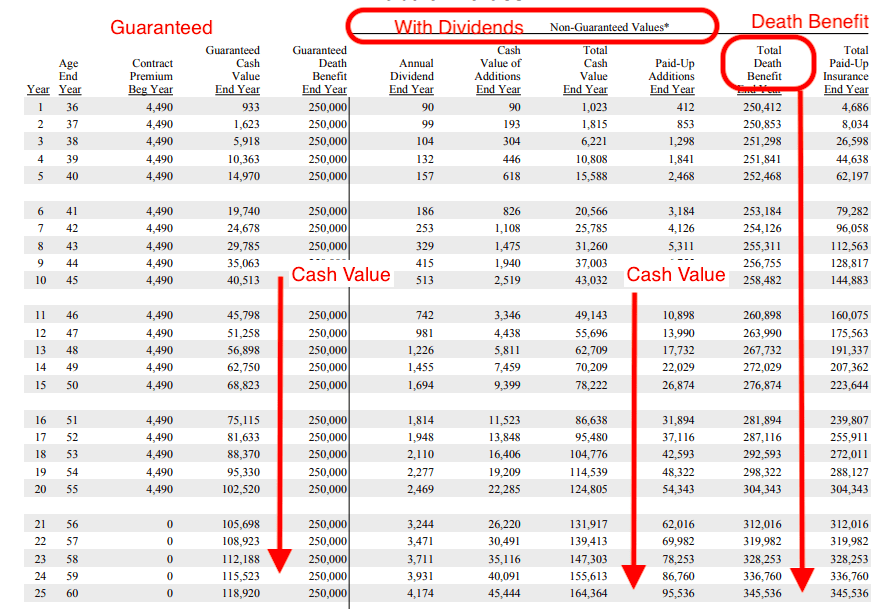
- Policy guarantees. These are the contractual floor: the values the company must support if you pay the illustrated guaranteed premium and the non-guaranteed elements disappear or worsen to the guaranteed level.
- The insurer's illustrated scale. This is the current illustrated picture, including dividends or other non-guaranteed elements the company is allowed to show today.
- A reduced non-guaranteed picture. New York requires a midpoint-style test: dividends at 50% of the illustrated scale, and other non-guaranteed interest or charges averaged between the guaranteed rate and the illustrated rate.
That third column is easy to skip. Do not skip it. It exists because the illustrated scale is not a promise. If the policy only "works" on the middle or current column, you are looking at a hope, not a guarantee.
The same New York guidance requires a signed acknowledgment on the numeric-summary page that non-guaranteed elements are subject to change and could be higher or lower. Even when you are not signing a new sale, that sentence is the reading rule: illustrated values can move.
The NAIC consumer life insurance page is equally blunt about the broader product: cash-value policies cost more than term because they combine lifetime protection with policy value, and the non-guaranteed pieces are not a forecast you can spend.
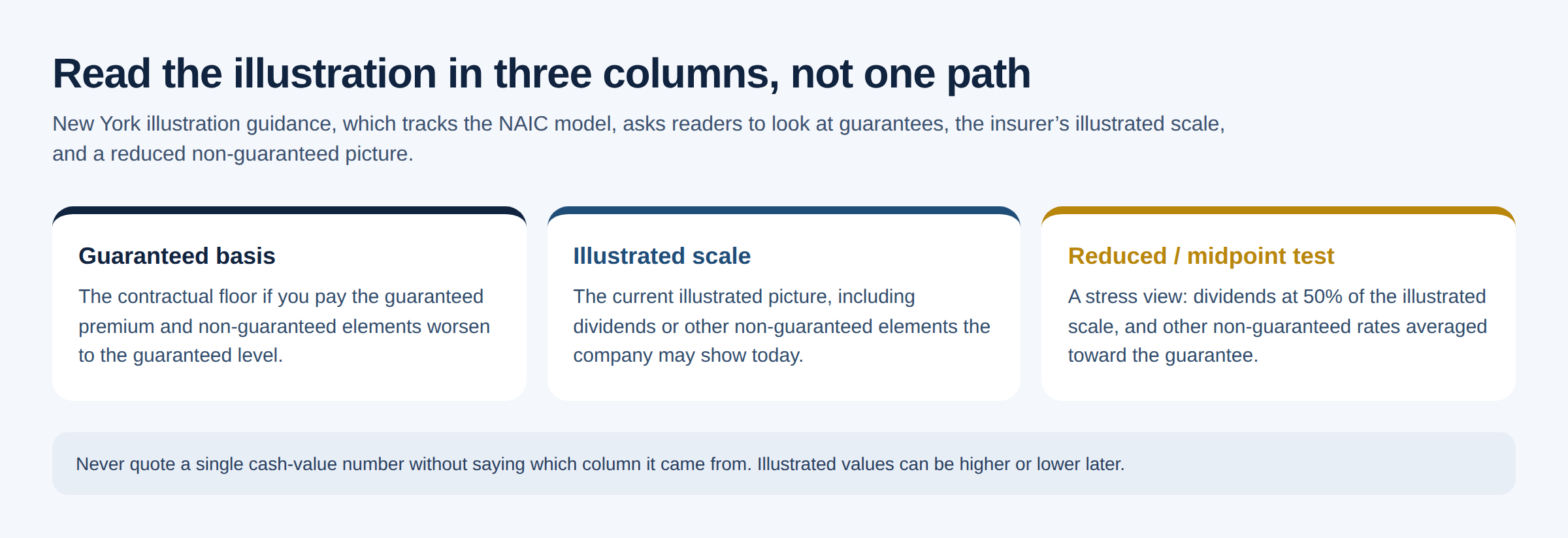 Read an in-force illustration in columns, not as one happy path. The guaranteed basis is the floor. The illustrated scale is a current picture. The reduced basis is the stress test.
Two more prohibitions from the same New York / NAIC family are worth keeping in your head while you read:
- the producer may not state or imply that non-guaranteed elements are guaranteed
- the illustration may not use "vanish" or "vanishing premium," or a similar phrase that implies the policy becomes paid up, to describe a plan that uses non-guaranteed elements to pay future premiums
If someone is showing you an in-force run and talking as if premiums will definitely disappear, the document and the conversation are no longer aligned.
How to request one without getting a recycled sales packet
You usually do not need a new application to get an in-force illustration. You need to ask for the right document, with the right inputs.
Call the carrier, the servicing agent, or both, and say you want an in-force illustration, not a new-business quote. Then specify the scenario. "Just send me something current" often produces a generic continuation of the original premium pattern. That can be useful. It is not useful if the real question is a loan, a reduced premium, a 1035, or extra dump-in premium.
Give them:
- policy number and insured name
- the as-of date you want, if they ask
- the current premium you actually intend to pay
- any planned loan, withdrawal, or reduced paid-up discussion
- the dividend option you want illustrated
- whether riders stay, change, or drop
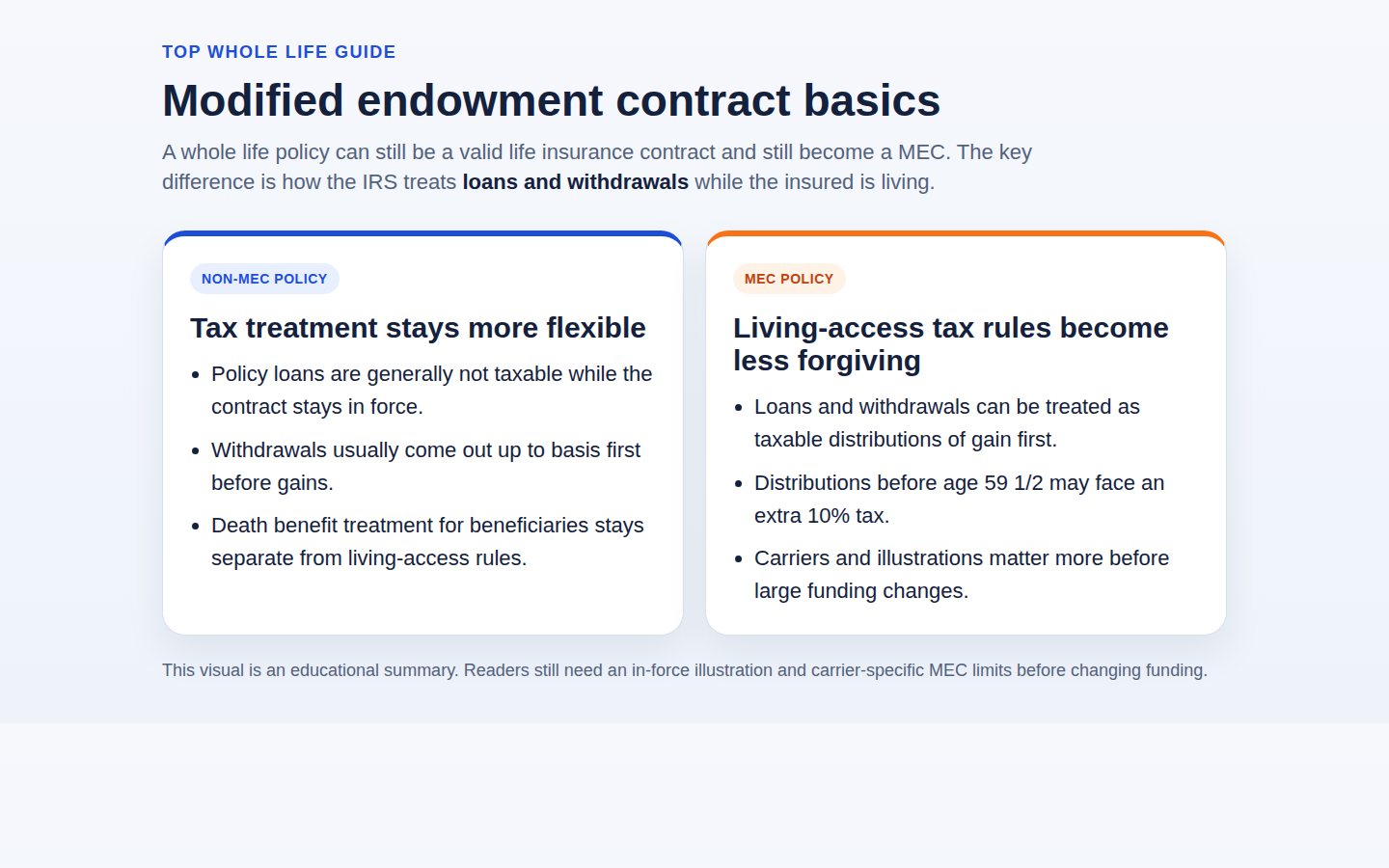
Ask them to show guaranteed and non-guaranteed values on the same run, plus current cash value, current cash surrender value, and current loan balance and accrued interest. Top Whole Life's MEC guide is right to treat those current numbers as decision inputs, not background noise. If extra premium is on the table, also ask where the 7-pay / MEC limit sits on the updated run.
If the company stalls, point them back to the request right. In New York, the insurer must furnish the in-force illustration on request and base it on the present illustrated scale. Other states that adopted the NAIC model use the same idea. You are not asking for a favor. You are asking for the update the illustration rules were built to provide.
Do not cancel, 1035, or overfund while you wait. The NAIC consumer guidance still says not to drop an existing policy until the new arrangement is in force. The same patience applies when the "new arrangement" is just a change inside the policy you already have.
How to read the pages without getting hypnotized by year 20
Once the PDF arrives, resist the urge to jump to the prettiest later-duration cash-value number.
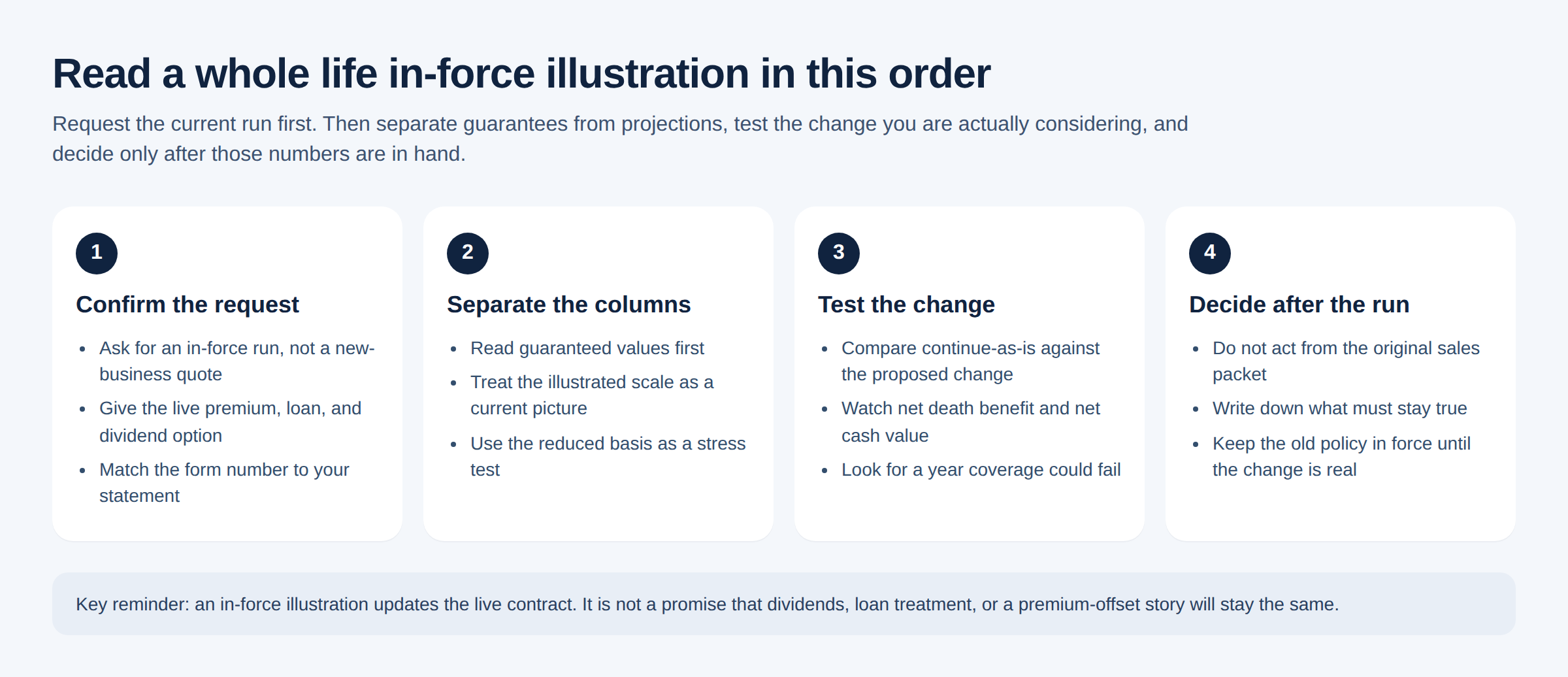
Read it in this order.
1. Confirm you are looking at the live policy
Match the insured, issue date, face amount, premium mode, and form number to the annual statement. If the illustration assumes a premium you are not paying, or a loan you already have, the later columns are answering a different question.
2. Separate guaranteed from illustrated
Find the guaranteed death benefit and guaranteed cash-value columns first. Those are the contract floor, assuming the guaranteed premium is paid. Then look at the illustrated or current-scale columns. Those include dividends or other non-guaranteed elements.
If you only remember one habit from this article, make it this one: never quote a single cash-value number without saying which column it came from.
3. Check the reduced or midpoint basis
If the run includes the required reduced non-guaranteed picture, look at whether coverage would still be there at the durations you care about. New York's guidance says that if coverage would cease before maturity or age 100, the illustration must identify the year it ceases on each of the three bases. That one line can matter more than a glossy year-20 cash-value figure.
4. Look at the actual change you are considering
If you asked for a loan, a premium cut, or a benefit reduction, the illustration should show that change. Compare it against a "continue as is" run. The point is not to collect PDFs. The point is to see what the change does to guaranteed values, illustrated values, and the year coverage could fail.
This is where the in-force illustration earns its keep. A loan that looks harmless on this year's statement can look very different when the illustration compounds the interest and shows a thinner net death benefit later. That is the same reason Top Whole Life's policy loan repayment guide treats an ignored loan as a live policy decision rather than a forgotten convenience.
5. Ask what would have to stay true for the illustrated path to happen
Dividends are not guaranteed. Illustrated loan treatment can change. A premium-offset story that uses non-guaranteed elements is still a story. If the plan only works when the current scale persists, write that down in plain English before anyone calls the plan conservative.
When the annual statement is enough — and when it is not
You do not need a new illustration every time a statement arrives.
The statement is usually enough when you are doing a routine yearly review, the premium pattern is unchanged, there is no meaningful new loan activity, and you are only confirming that the policy still matches the job you want it to do.
Request a current in-force illustration when any of these are true:
- you plan to change premium, including a "let dividends pay it" idea
- you plan to borrow more, or you already have a loan that is no longer a side note
- you want to reduce, increase, or otherwise reshape the death benefit
- you are adding, dropping, or exercising a rider
- you are considering a replacement or 1035 exchange
- you have a MEC, lapse, or "how long will this last?" question
- the original sales illustration is the only projection anyone is still using
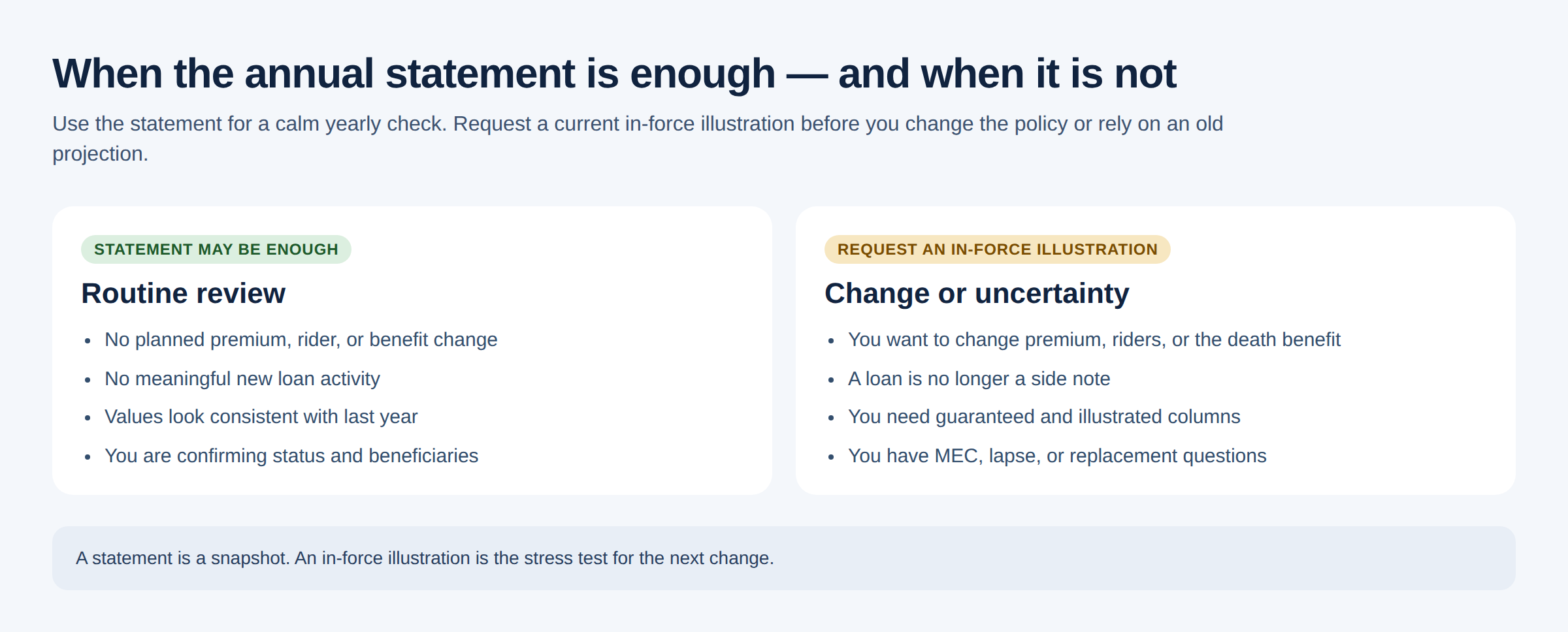 A statement is enough for a calm yearly check. An in-force illustration is the document to request before a premium, loan, benefit, rider, or replacement decision.
If you are still deciding whether whole life is the right product at all, step back to what whole life insurance is before you treat any illustration as the decision. The illustration can only stress-test a design. It cannot tell you that you wanted the design in the first place.
Questions to ask before you rely on the run
Bring these to the carrier or a licensed professional:
- Is this an in-force illustration of my current policy, or a new-business illustration of a replacement?
- What as-of date, premium pattern, loan balance, and dividend option were used?
- Which numbers are guaranteed if I pay the guaranteed premium, and which depend on the current illustrated scale?
- Does the run include a reduced or midpoint non-guaranteed basis, and in what year would coverage fail on each basis?
- If I make the change we discussed, what happens to net cash value, net death benefit, and any MEC limit?
- What would have to stay true — dividends, loan interest, premium persistence — for the illustrated path to remain realistic?
- If this illustration is already a few months old, how current is the scale and should I request another run before I act?
Those questions slow down two common errors: treating a projection as a promise, and making a live-policy change from memory of the original sale.
If you want a fresh comparison after you understand the in-force numbers, use the whole life quote form and compare that result against the current contract instead of assuming the first available change is the best one.
An in-force illustration will not make the decision for you. It will tell you whether the decision you are about to make still has a floor.
This article is general education only. Illustration formats, request procedures, and non-guaranteed-element rules vary by insurer and state. Confirm the current run, the guaranteed columns, and any planned change with your insurer before acting.